5.0: A closer look

Imani Joy
Head of Design
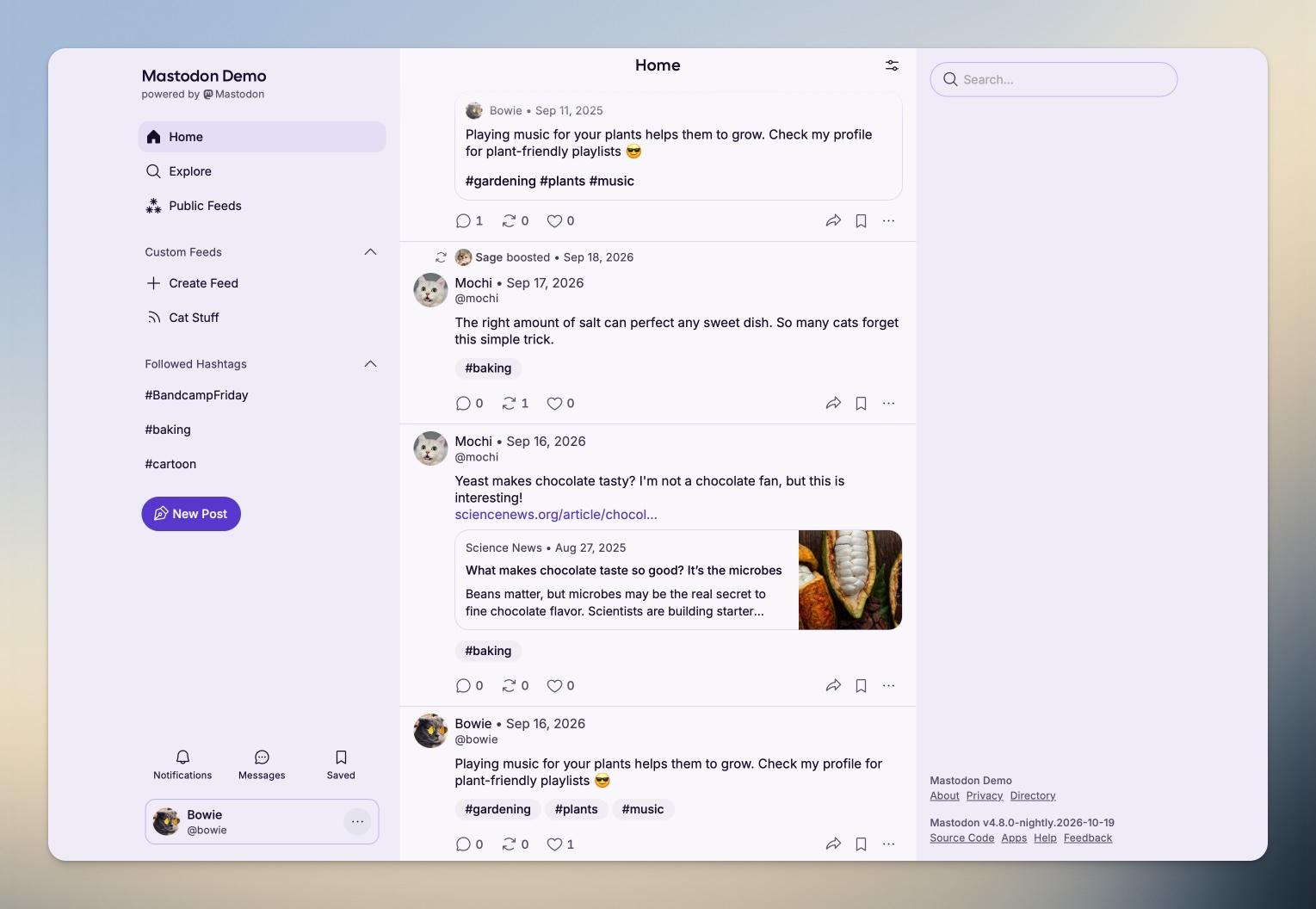
October is here, and it’s almost time for Mastodon’s 5.0 release! We announced our plans for big changes in an early preview back in August. In this companion article, we’re hoping to shed light on some of the decisions behind this major UI overhaul.
Between the feedback we’ve gathered during Discovery Week, an event in which we spent a week doing surveys and workshop sessions with volunteers from the community, and Mastodon’s 10th anniversary coming up, we were determined to deliver something notable.
What we were facing
Invisible binds
Working on Mastodon’s engineering team can sometimes feel like harvesting wheat one stalk at a time. We make a lot happen with limited resources–far more limited than most people realise–but there’s always more to do. There’s more tech and UX debt than is obvious to the naked eye, so something that seems simple on the outside may be often limited by backend constraints or architecture shifts that can’t easily be changed. So we had to make concessions about what we could realistically fit into our 5.0 plans, and leave some work for later.
Competing needs
What’s better for one person can be worse for another, and we’ve had to keep that in mind throughout the redesign. We’re acutely aware that such a divide is most pronounced between longstanding users and newcomers. Mastodon’s current UI is beloved by many longtime users, since it can be very powerful once you’ve learned its secrets and quirks. However, newcomers should be able to dive in without being overwhelmed. To keep the community fresh, alive and diverse, we need to break down the barriers to joining, so when you bring your friends, they can find their way around without a manual.
What we believe in
The redesign was grounded in these principles:
Clarity trumps convenience. The most powerful interface can be useless if it’s too difficult to figure out. Making things more clear and obvious can result in more friction, and that can be necessary.
Leave room for what’s to come. Navigation may feel emptier for now, and that is on purpose. We have lots of improvements planned that we need to leave space for, to avoid moving more elements around in the future.
Small improvements matter. We might not be able to fix everything overnight, but we’ll continue to look for small but meaningful improvements to accessibility and usability.
What’s changing in 5.0
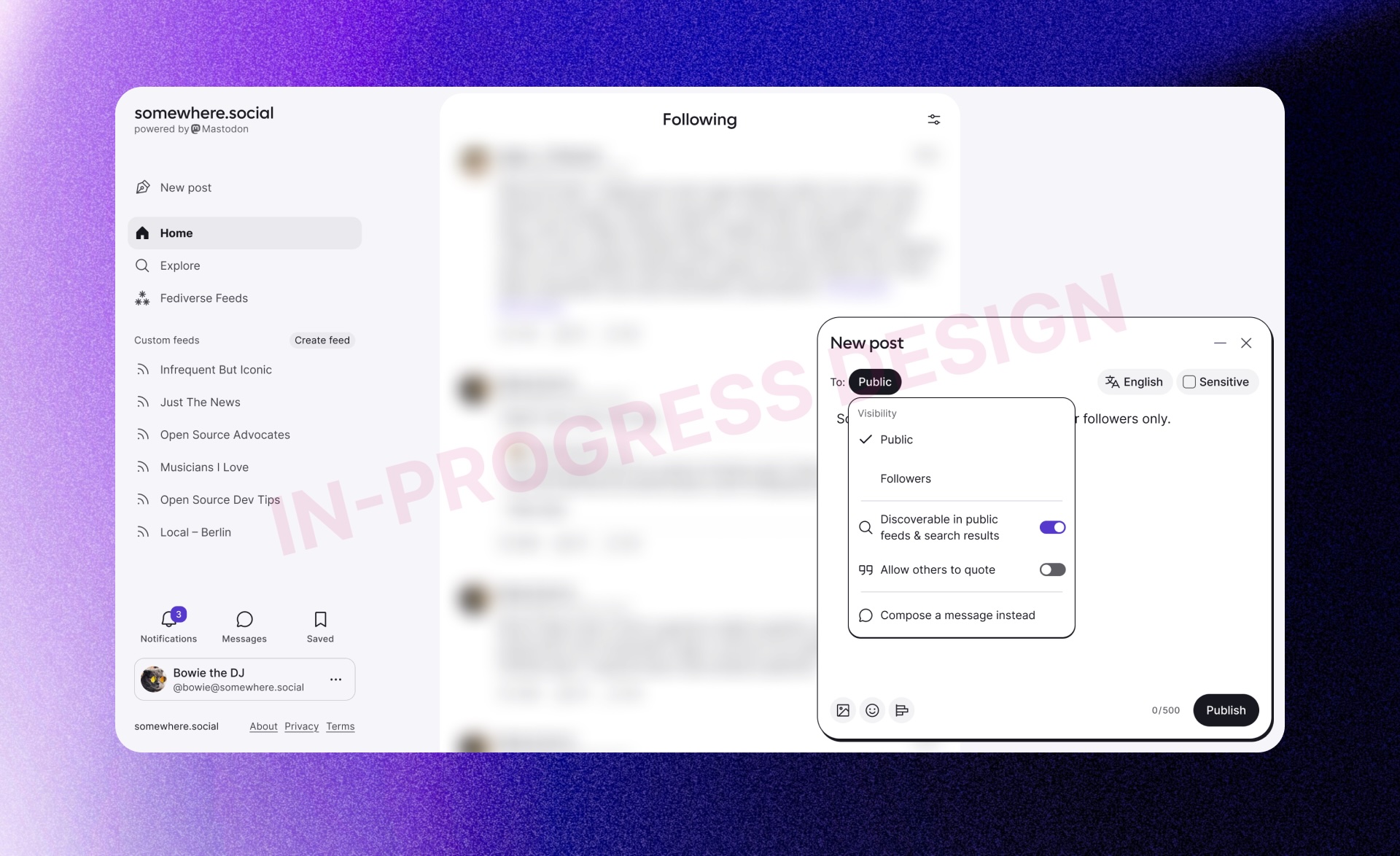
Our previous blog post covers most of the big stuff: We’re moving away from the embedded composer and adopting a pop-out composer with new controls for visibility and other post settings. Navigation is simplified and organised in a more intuitive way and create space for future new features.
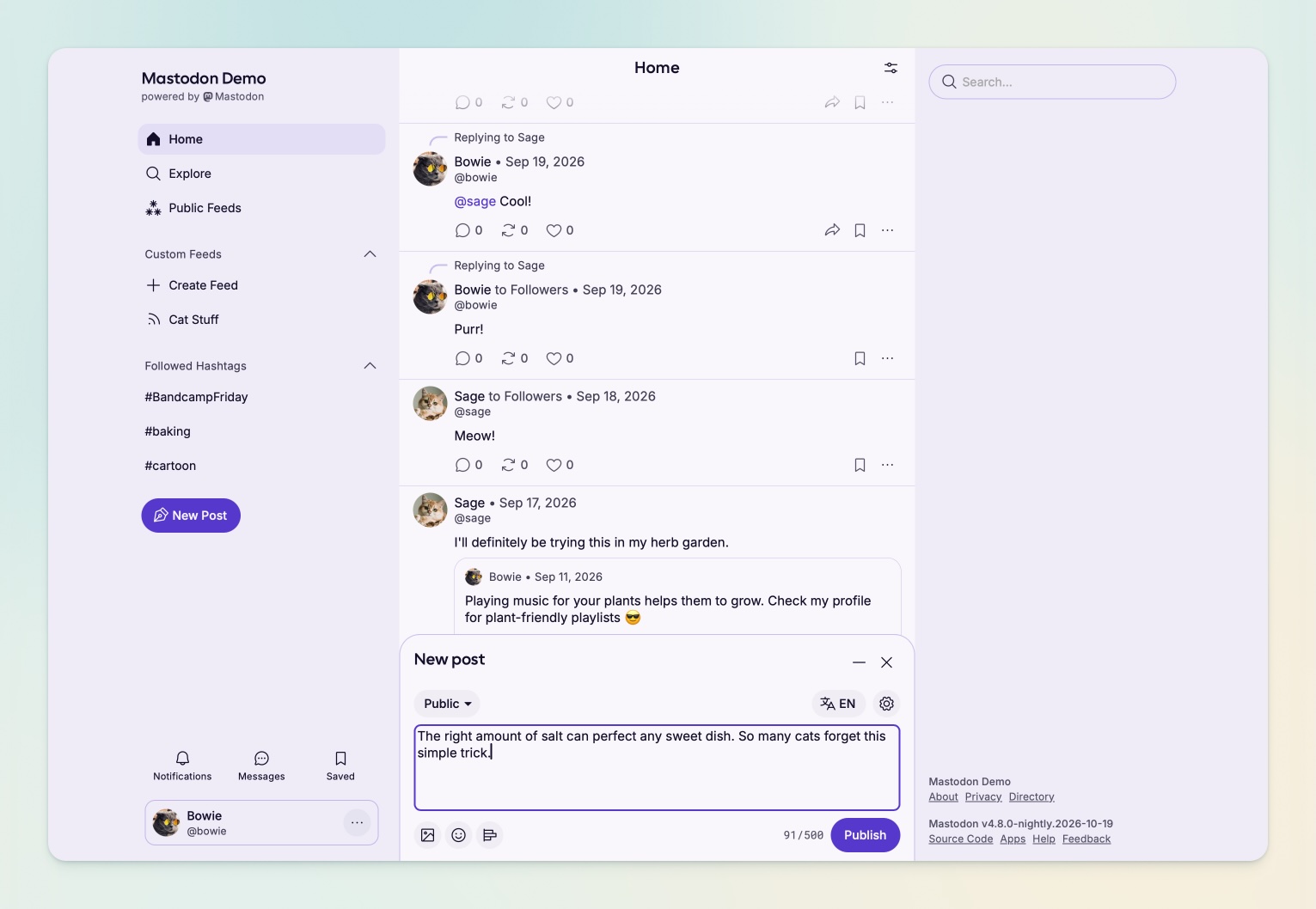
The desktop 5.0 web interface showing the post composer opened at the bottom of the main column.
In your feeds, the posts themselves have been rebuilt from the ground up, giving a fresh look to the places we all spend the most time. We’re also excited to roll out a few new colour themes, which took a truly monumental effort from our engineering team since the start of the year to tokenise our design system.
The web interface, changing between the five available theme colours.
The new design includes many small affordances, such as hiding a user’s boosts directly from the post menu, following and unfollowing hashtags right from the post, and hiding your own posts and boosts in your home feed.
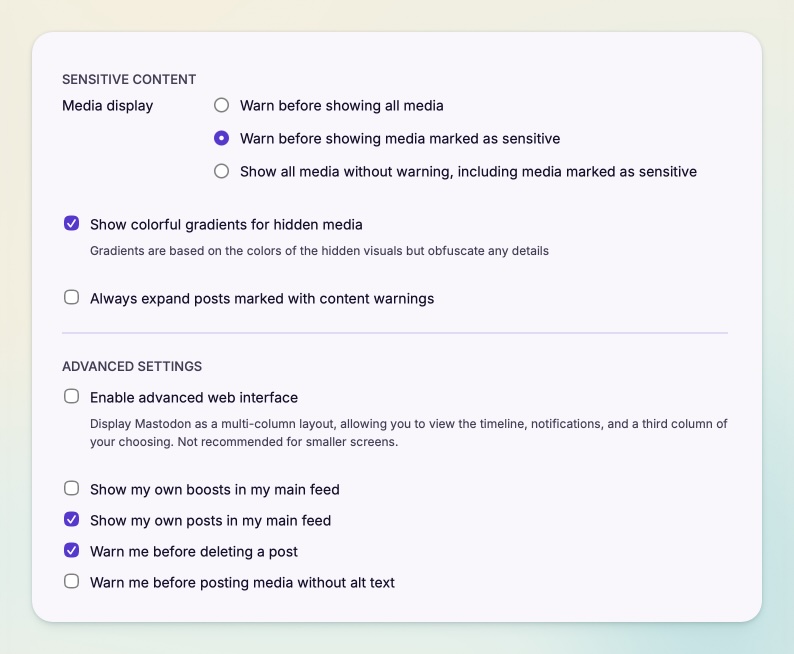
Under Advanced Settings, two new options allow you to decide if your own boosts and posts appear in your main feed.
Notable iterations (since the August blog post)
Since our original announcement, we’ve iterated a lot on the feedback we’ve been receiving, so you’ll notice that the UI looks a bit different than what we’ve shown in that blog post. Here’s what’s changed:
- From bottom right to bottom centre: The position of the composer in the bottom right was controversial. The biggest complaint was that the composer was so far away from the main navigation. However, keeping the composer embedded within the navigation is too limiting, bottom left docking would hide key navigational elements, and resorting to a modal would mean users could lose context of something they’re referencing or replying to. Until we can offer user settings for docking preferences, we’re adjusting to a bottom-centre placement–and the composer can be fully minimised without losing a draft in progress.
- The ‘New post’ action has changed: It’s a more prominent button in the navigation, but moved further down to reduce the distance the mouse has to travel to reach the popout composer. The floating button on mobile launches the composer immediately instead of opening a sub-menu, because we received feedback that users expect to initiate the ‘New message’ action elsewhere.
- Composer visibility settings are still contextual, but considerably simplified: We attempted to show some of the recipients in limited visibility posts, but it confused some users more than it clarified things. Instead of dynamically updating the visibility dropdown with mentioned names, we show a few preset labels that still accurately describe the audience.
- ‘Sensitive’ content has been broken into two settings: Users have historically been able to blur media by adding a blank content warning to their post. This was a powerful yet misunderstood feature, and we’ve received feedback about it for quite some time. To keep the existing functionality but present it in a clearer way, sensitive media and content warnings are now separate, dedicated options inside the composer’s gear menu.
- Quote settings have moved: You cannot change the visibility of a post after publishing it, but you can change its quote settings. We’re now grouping these settings differently to keep the ones that can be changed separate from the ones that cannot.
FAQ
How did you make sure these changes reflect the needs of actual Mastodon users?
We ran a week of surveys and workshop sessions with volunteers from the community to figure out what works for people and what doesn’t. We also monitored feedback from the initial blog post, then tested our prototype, first internally, then with users, gathering more feedback on our new Discourse space while iterating on the designs.
What about existing users having to re-learn the interface?
We understand that an interface you’ve been using for years changing under you can be frustrating. Whenever possible, we’ve based the redesign in existing UI patterns used frequently across the web, so that learning the new way would be easy. We are also communicating clearly about those changes through our blog and announcements to ensure that this transition is not a surprise and the reasons behind it are clearly laid out.
Additionally, our decision to fill less space in the 5.0 interface is precisely so we can minimize jarring changes across future releases.
Why is everything so round?
We’re headed towards more roundness to invite a friendlier brand tone, and to make Mastodon feel more native within modern browsers (most of which have adopted a rounded aesthetic).
Can I offer feedback on the redesign?
We hope you do! Head to our new Discourse forum. While we can’t immediately respond to every topic, we will be reading through each piece of feedback. Please remember to be civil even if you don’t like something: We are people too.
If you are on mastodon.online or another server running nightly updates, you already have early access to the redesign. We are planning to enable this new design on mastodon.social tomorrow, on the 20th October, and then release the first Mastodon 5.0 beta version so server administrators can try it out as well.
What you share in our forum could help us make a few more improvements before 5.0 is officially released to the wider Mastodon universe in a few weeks.
What’s next?
There are essential pages that still desperately need an overhaul: Search, Settings, Messages, and Notifications, to name a few. It’s unlikely we’ll be able to redesign all of those in 5.1. We can say with certainty that the search & discovery experience will be a priority, though.